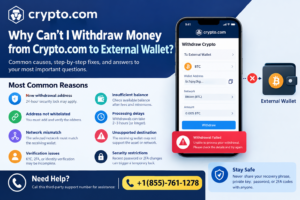

If you are unable to withdraw cryptocurrency from Crypto.com to an external wallet, the cause is usually related to wallet verification, withdrawal restrictions, network compatibility, security locks, minimum withdrawal requirements, or account verification. Crypto.com requires users to complete certain security and compliance steps before an external-wallet withdrawal can be processed.
This guide explains the most common reasons a Crypto.com withdrawal may fail, remain unavailable, or stay pending, along with practical troubleshooting steps.
Why Can’t I Withdraw Money from Crypto.com to External Wallet?
The most common reasons include:
- Your account has not completed the required verification.
- The external wallet address has not been whitelisted.
- A 24-hour withdrawal lock is active.
- The selected blockchain network does not match the receiving wallet.
- The withdrawal amount is below the minimum.
- Your available balance is insufficient after fees.
- The withdrawal is still being processed.
- The receiving wallet does not support the selected cryptocurrency or network.
- Additional security or compliance verification is required.
Let’s examine each possibility.
1. Your Account Verification Is Incomplete
Crypto.com requires account verification before certain cryptocurrency withdrawals can be made. For Crypto.com Exchange withdrawals, the platform states that users must complete KYC verification before withdrawing cryptocurrency.
If your verification is incomplete, pending, or requires additional information, the withdrawal option may be restricted.
What to check:
- Open your Crypto.com account.
- Review your verification status.
- Complete any outstanding identity-verification requirements.
- Check whether Crypto.com has requested additional information.
After verification is completed, try initiating the withdrawal again.
2. The External Wallet Address Has Not Been Whitelisted
One of the most common reasons you cannot withdraw to an external wallet is that the destination address has not been added and verified.
Crypto.com requires withdrawal addresses to be whitelisted before they can be used for withdrawals. On the App, users can go to Accounts → Token Wallet → Transfer → Withdraw → External Wallet, then add and verify the destination address.
For Exchange withdrawals, users can select Wallets → Withdraw, add a withdrawal address, and complete the required verification.
Make sure the address belongs to the wallet you intend to use and that you have selected the correct cryptocurrency.
3. The 24-Hour Withdrawal Lock Is Active
Crypto.com’s 24-hour Withdrawal Lock is a security feature designed to prevent withdrawals to newly added addresses for 24 hours.
If you have recently added an external wallet address and the lock is enabled, you may not be able to withdraw immediately. Crypto.com says the lock applies to newly whitelisted addresses.
This is a security measure rather than necessarily an account problem.
What to do:
Check your withdrawal-whitelist settings and determine whether the destination address is subject to the 24-hour waiting period. If it is, you generally need to wait until the lock expires.
4. The Blockchain Network Does Not Match
Another important issue is network compatibility.
Many cryptocurrencies can operate across multiple blockchain networks. When withdrawing, the network selected in Crypto.com must be compatible with the network supported by the receiving wallet or exchange.
For example, if the receiving platform specifies that a token must be deposited through Ethereum/ERC-20, selecting another network can cause problems. Crypto.com specifically advises users to select the same network supported by the receiving platform.
Before confirming a transaction, verify:
- Cryptocurrency
- Blockchain network
- Wallet address
- Memo or destination tag, when required
Never assume that two addresses supporting the same token automatically support the same network.
5. Your Withdrawal Amount Is Too Low
Cryptocurrency withdrawals can have minimum withdrawal requirements, and these limits vary depending on the asset.
Crypto.com directs users to its current Fees & Limits information for the applicable minimum withdrawal amounts and fees.
If your available balance is close to the minimum, the amount remaining after the withdrawal fee may also affect whether the transaction can be submitted.
Check the current withdrawal limit and fee displayed in your Crypto.com account before retrying.
6. You Do Not Have Enough Available Balance
Your displayed cryptocurrency balance may not necessarily equal the amount available for withdrawal.
Funds can be unavailable because they are:
- Locked in another product
- Pending another transaction
- Below the required minimum
- Subject to applicable fees
- Otherwise unavailable for withdrawal
Check your available balance rather than only your total account balance.
Crypto.com states that Exchange withdrawals are on-chain transactions and therefore incur applicable withdrawal fees.
7. The Withdrawal Is Still Processing
A submitted withdrawal does not always appear in the external wallet immediately.
Crypto.com says withdrawals from the App are generally processed almost instantly but can normally take up to 2–3 hours. Its Exchange documentation similarly states that external-wallet withdrawals may take around 2–3 hours to process.
If your withdrawal has already been submitted, avoid repeatedly creating new withdrawal requests. Instead, check the transaction status and transaction history.
Once a transaction has a blockchain transaction ID or hash, you can use the relevant blockchain explorer to examine its status.
8. The Receiving Wallet Does Not Support the Asset
Your external wallet or exchange must support both the cryptocurrency and the selected network.
For example, Crypto.com’s guidance for ETH and ERC-20 withdrawals recommends confirming that the receiving wallet or exchange supports the token being transferred.
Before sending a large amount, verify the receiving platform’s deposit instructions. For unfamiliar tokens or networks, a small test transaction can reduce the risk of an irreversible mistake.
9. A Memo or Destination Tag May Be Required
Some assets and receiving platforms require additional information such as a memo, tag, or destination ID.
For example, Crypto.com’s CRO withdrawal documentation explains that certain CRO network transfers can require a memo when sending to another exchange.
If the receiving platform gives you a memo or destination tag, follow its instructions carefully. An incorrect or missing tag can prevent the receiving platform from properly identifying the deposit.
How to Troubleshoot a Crypto.com External-Wallet Withdrawal
Use this checklist before contacting support:
Step 1: Confirm that your account verification is complete.
Step 2: Confirm that the destination wallet address has been whitelisted.
Step 3: Check whether a 24-hour withdrawal lock applies.
Step 4: Verify the cryptocurrency and blockchain network.
Step 5: Confirm that the receiving wallet supports that exact asset and network.
Step 6: Check the minimum withdrawal amount and applicable fee.
Step 7: Make sure your available balance is sufficient.
Step 8: Check whether a memo or destination tag is required.
Step 9: If the withdrawal was already submitted, check its status and allow processing time.
Step 10: If the issue continues, use Crypto.com’s official in-app support channel.
What If Crypto.com Says the Withdrawal Is Pending?
A pending withdrawal can simply mean that Crypto.com is still processing the request or that the blockchain transaction has not completed.
Crypto.com’s current withdrawal guidance says App withdrawals normally take no longer than 2–3 hours in typical circumstances.
If a transaction remains pending significantly longer than the expected processing period, review the transaction details and contact official support if necessary.
Do not share your recovery phrase, private key, password, authentication codes, or other sensitive credentials with anyone claiming to be support.
Final Thoughts
If you can’t withdraw money from Crypto.com to an external wallet, first check your verification status, wallet whitelist, 24-hour security lock, network selection, minimum withdrawal requirements, available balance, and receiving-wallet compatibility. Most withdrawal problems can be traced to one of these conditions. If a withdrawal has already been submitted, check its status and allow the stated processing time before taking further action. Always verify the destination address and network carefully because completed blockchain transactions generally cannot be reversed.