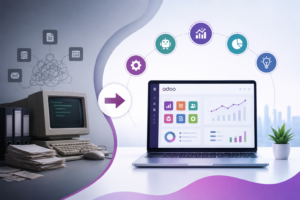

Enterprise Resource Planning (ERP) systems are the backbone of modern businesses. As your company grows, your ERP must evolve to support new processes, improve efficiency, and keep pace with changing technology. If you’re still running an older version of Odoo, planning an Odoo ERP migration could be one of the most valuable investments for your business.
However, ERP migration isn’t simply about upgrading software. It involves transferring business-critical data, preserving custom workflows, ensuring compatibility with third-party applications, and minimizing operational disruption.
This guide explains everything you need to know before migrating to the latest version of Odoo.
What Is Odoo ERP Migration?
Odoo ERP migration is the process of moving your existing Odoo environment to a newer version while preserving essential business data, configurations, workflows, and customizations.
Migration typically includes:
- Database migration
- Master and transactional data transfer
- Custom module migration
- Third-party integration updates
- Security enhancements
- User acceptance testing
- Performance optimization
A well-planned migration ensures your business continues operating smoothly while taking advantage of the latest Odoo capabilities.
Why Businesses Are Upgrading to the Latest Odoo Version
Every new Odoo release introduces improvements that directly impact productivity and operational efficiency.
Some key benefits include:
Better Performance
Newer versions are optimized for faster processing, quicker page loads, and improved database efficiency.
Enhanced Security
Cybersecurity threats continue to evolve. Updated versions include stronger authentication, improved access controls, and regular security patches.
Modern User Experience
The latest Odoo interface offers improved navigation, better dashboards, and enhanced mobile usability.
Improved Automation
Businesses can automate more repetitive processes using upgraded workflows, AI-powered features, and improved scheduling.
Better Reporting
Advanced dashboards and real-time analytics help decision-makers monitor business performance more effectively.
Signs Your Business Needs an Odoo Migration
Many organizations continue using outdated versions because “everything still works.” Unfortunately, older systems gradually become expensive to maintain.
You should consider migration if:
- Your Odoo version is no longer officially supported.
- Performance has become noticeably slower.
- Your custom modules frequently break.
- Integrations require constant maintenance.
- Security updates are unavailable.
- Manual workarounds are increasing.
- Your business processes have outgrown your current ERP.
Common Odoo ERP Migration Challenges
Even experienced businesses encounter migration obstacles.
1. Data Loss
Incorrect migration methods can result in missing customers, invoices, inventory, or accounting records.
Solution
Perform complete database backups and validate migrated records before production deployment.
2. Custom Module Compatibility
Older custom modules often fail after upgrading.
Solution
Review every customization and update code according to the latest Odoo framework.
3. Third-Party Integration Issues
Payment gateways, CRMs, shipping APIs, and accounting software may require updates.
Solution
Test every integration in a staging environment before going live.
4. Extended Downtime
Poor planning can interrupt daily operations.
Solution
Schedule migration during low-traffic periods and prepare rollback plans.
5. User Adoption
Employees may struggle with interface changes and new workflows.
Solution
Provide training sessions before deployment.
Step-by-Step Odoo ERP Migration Process
A successful migration follows a structured approach.
Step 1: Audit Your Current ERP
Document:
- Installed modules
- Customizations
- Integrations
- Reports
- Workflows
- User permissions
Step 2: Clean Your Data
Remove:
- Duplicate records
- Obsolete customers
- Inactive vendors
- Old inventory
- Unnecessary attachments
Clean data improves migration speed and reduces errors.
Step 3: Back Up Everything
Always create multiple backups before making any changes.
This includes:
- Database
- Source code
- Custom modules
- Attachments
- Configuration files
Step 4: Prepare a Testing Environment
Never migrate directly into production.
A staging server allows you to:
- Validate migrated data
- Test workflows
- Verify reports
- Identify broken modules
Step 5: Migrate Custom Modules
Update:
- Python code
- XML views
- Security rules
- APIs
- Dependencies
Step 6: Test Everything
Validate:
- Sales
- CRM
- Purchase
- Inventory
- Manufacturing
- Accounting
- HR
- Website
- POS
Step 7: Train Users
Even small interface improvements require user training.
Conduct:
- Department-specific sessions
- Workflow demonstrations
- Documentation sharing
- Q&A sessions
Step 8: Go Live
Deploy the upgraded system after successful testing.
Continue monitoring:
- Performance
- Error logs
- User feedback
- System health
Odoo ERP Migration Checklist
Before migration, ensure you have completed the following:
✅ Business requirement analysis
✅ Current ERP audit
✅ Database backup
✅ Data cleanup
✅ Custom module review
✅ Integration assessment
✅ Test environment setup
✅ Security review
✅ User acceptance testing
✅ Employee training
✅ Go-live strategy
✅ Rollback plan
Best Practices for a Successful Odoo Migration
Start Planning Early
Large ERP migrations can take weeks or months depending on complexity.
Avoid Unnecessary Customization
Use standard Odoo features whenever possible to simplify future upgrades.
Test Multiple Times
Testing once is never enough.
Run:
- Functional testing
- Integration testing
- Performance testing
- User acceptance testing
Keep Stakeholders Informed
Maintain clear communication with management and end users throughout the project.
Work with Experienced Odoo Experts
Migration requires technical expertise across databases, Python development, integrations, and Odoo architecture. Working with an experienced Odoo Silver Partner can significantly reduce migration risks, minimize downtime, and ensure a smoother transition to the latest version.
Benefits After a Successful Migration
Businesses often experience immediate improvements after upgrading.
These include:
- Faster ERP performance
- Improved user productivity
- Better reporting
- Stronger security
- Reduced maintenance costs
- Enhanced automation
- Easier future upgrades
- Improved scalability
- Better customer experience
How Long Does an Odoo ERP Migration Take?
Migration timelines depend on several factors:
| Business Size | Estimated Timeline |
|---|---|
| Small Business | 1–2 weeks |
| Medium Business | 3–6 weeks |
| Large Enterprise | 2–4 months |
| Highly Customized ERP | 3–6 months |
The complexity of custom modules, integrations, and data volume significantly affects the overall duration.
Why Choose Master Software Solutions for Odoo ERP Migration?
Migrating your ERP requires more than technical expertise—it requires a strategic approach that minimizes disruption while maximizing long-term value. As an Odoo Silver Partner, Master Software Solutions helps businesses migrate seamlessly with a focus on business continuity and future scalability.
Our Odoo migration services include:
- End-to-end migration planning
- Database migration and validation
- Custom module upgrades
- Third-party integration migration
- Data cleansing and optimization
- Performance tuning
- Security and compliance checks
- User training and post-migration support
Our team ensures your migration is secure, efficient, and aligned with your business objectives.