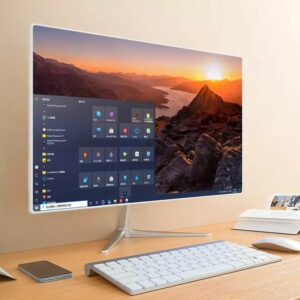

A large display monitor — typically over 27 inches — is an increasingly popular choice for users seeking enhanced productivity, immersive entertainment, and versatile computing experiences. This guide explores the features, benefits, and technical specifications of large monitors, helping you select the optimal screen for work and play.
Benefits of a Large Display Monitor
Expansive Workspace for Multitasking
Large monitors offer abundant screen real estate, enabling users to display multiple windows or applications side by side without overlapping. This capability reduces the need to toggle between tabs or use multiple smaller screens, streamlining workflows and boosting productivity. Tasks such as coding, graphic design, streaming data, or document management become more efficient with a larger digital canvas.
Superior Visual Experience
Thanks to advances in resolution technology, large monitors often feature Quad HD (2560×1440), 4K UHD (3840×2160), or higher displays. This translates to sharper images, vibrant colors, and immersive detail. Features like HDR (High Dynamic Range), wide color gamut, and advanced contrast ratios enhance visual clarity further. Gamers and creative professionals particularly benefit from smooth motion handling enabled by high refresh rates (often 120Hz or higher) and low response times tailored to reduce motion blur.
Ergonomic and Eye Comfort Features
Manufacturers now include blue light filters, flicker-free technology, and adjustable stand options to reduce eye strain during prolonged use. The ergonomic flexibility of large monitors—such as adjustable tilt, height, and swivel—supports better posture and comfort, reducing fatigue across long sessions.
Optimized Workspace and Reduced Clutter
A single large widescreen or ultrawide monitor reduces the need for multiple screens, which can clutter desk space and complicate cable management. This consolidation fosters a cleaner setup and reduces distractions caused by shifting focus. It is particularly valuable for users with limited desk space who want an efficient, tidy workstation.
Key Technical Specifications to Consider
| Specification | Description | Ideal for Large Displays |
|---|---|---|
| Screen Size | Starting from 27 inches, up to 40 inches or more | Larger screen for immersive and spacious view |
| Resolution | Full HD (1920×1080), QHD (2560×1440), 4K UHD (3840×2160) | Higher resolution for sharp, detailed imagery |
| Panel Type | IPS, VA, OLED, QD-OLED | IPS for color accuracy, VA for contrast, OLED for deep blacks |
| Refresh Rate | Standard 60Hz; gaming monitors 120Hz to 240Hz+ | Higher rates for smooth gaming and video |
| Contrast Ratio | Static and dynamic contrast ratios define deep blacks and vivid whites | Higher contrast preferred for multimedia work |
| Brightness | Measured in cd/m²; around 300-400 cd/m² optimal | Sufficient for vibrant daylight viewing |
| Viewing Angles | Wide horizontal and vertical angles (typically 178°) | Ensures color consistency from different angles |
| Adaptive Sync | AMD FreeSync and NVIDIA G-SYNC support | Reduces screen tearing in gaming |
| Ergonomics | Adjustable stands, VESA mount compatibility | Enhances comfort and desk space flexibility |
Examples of popular large display monitors with robust specs include the LG 37G800A (36.5 inches, 4K UHD, 165Hz), ViewSonic VP3276T-4K (31.5 inches, IPS, 4K UHD), and the Gigabyte GO27Q24 (26.5 inches, QD-OLED, 240Hz refresh rate). These models exemplify the potent combination of size, resolution, and performance suited for modern users.
Use Cases for Large Monitors
Professional and Creative Work
Designers, video editors, and programmers benefit from the expansive workspace and color accuracy. High resolution and large displays improve fine detail visibility, enabling precise edits and coding efficiency.
Gaming and Entertainment
Large displays with high refresh rates and quick response times provide a smoother gaming experience. Additionally, immersive visuals from wide or ultra-wide screens enhance movie watching and streaming.
Office and Productivity
Business professionals and multitaskers appreciate the ability to have multiple documents, spreadsheets, and applications open simultaneously on one screen, improving focus and task management.
Conclusion
Selecting a large display monitor involves balancing size, resolution, refresh rate, and ergonomic features. These monitors redefine computing by delivering immersive visuals, expansive workspace, and ergonomic comfort. Whether for professional use, gaming, or media consumption, a large display monitor is a versatile investment that enhances user experience significantly.
More info to visit https smart seo article