
Free Online Image Tools: Resize, Crop, Convert and Compress Images Easily
Working with images is part of everyday online work. Whether you are creating social media posts, preparing images for a website, sending photos by email, or working on a personal project, you often need to resize, crop, convert, or compress an image.
Installing large image editing software for these simple tasks is not always necessary. Online image tools can help you complete these jobs quickly from your browser.
What Is MyToolsBench?
MyToolsBench is a collection of free online tools designed to make common image tasks easier. The platform provides simple tools for resizing, cropping, converting, compressing, and preparing images for different uses.
The tools are designed with a straightforward interface, so you can upload an image, choose the settings you need, and get your result without dealing with complicated editing software.
Resize Images Online
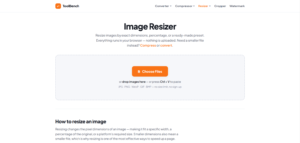
Sometimes an image is too large or does not have the right dimensions for a website or social media platform. An image resizer can help you change its width and height quickly.
With the MyToolsBench image resizer, you can resize images using exact pixel dimensions, percentage scaling, or common preset sizes. This can be useful when you need an image such as 1920×1080, 1280×720, 1080×1080, or other specific dimensions.
You can also maintain the original aspect ratio when resizing to help prevent unwanted stretching.
Crop Images Easily
Cropping is useful when you want to remove unwanted parts of a photo or focus on a specific area.
The MyToolsBench crop tool lets you crop images using different aspect ratios, including square, 4:3, 3:2, 16:9, and 9:16. These options can be useful for social media posts, profile pictures, thumbnails, banners, and other types of content.
A circle crop option is also useful when preparing images for profile pictures and other designs.
Convert Images Between Formats
Different websites and applications may require different image formats. JPG, PNG, WebP, GIF, BMP, and other formats each have their own uses.
An online image converter can make it easier to change an image from one format to another without opening complicated software. This is particularly helpful when you need a specific format for uploading an image to a website or using it in a project.
Compress Images to Reduce File Size
Large image files can take longer to upload, share, or load on a website. Image compression can reduce file size while keeping the image useful for its intended purpose.
Compressing images before adding them to a website can also help reduce unnecessary file sizes and make managing image files easier.
ToolBench Image Cropper is a free online tool that makes it easy to crop photos and images directly in your browser. Choose a freeform crop or use popular aspect ratios such as Square 1:1, Circle, 4:3, 3:2, Widescreen 16:9, and Story 9:16 to create the right size and shape for your needs.
You can crop JPG, PNG, WebP, GIF, and BMP images without installing software or creating an account. Simply add your image, select a crop ratio, adjust the crop box, and apply the crop. You can also add multiple images and crop them one at a time, then download your completed images together as a ZIP file.
The tool is useful for creating profile pictures, social media images, website graphics, YouTube thumbnails, story images, banners, and other visual content. The Circle option can also create a square PNG with transparent corners for platforms that display profile images as circles.
Your privacy is protected because cropping happens directly in your browser. Your images are not uploaded to a server, stored online, or sent anywhere during the cropping process.
Whether you need to remove unwanted edges, focus on a subject, change an image’s aspect ratio, or prepare a photo for social media, ToolBench provides a simple and convenient way to crop images online for free.
Why Use Online Image Tools?
Online tools are convenient because they do not require you to install dedicated editing software for simple tasks. You can access them from a web browser and use the tool you need when you need it.
They can be useful for:
-
Website owners
-
Bloggers
-
Designers
-
Students
-
Developers
-
Social media creators
-
Small businesses
-
Everyday image editing
Simple Tools for Everyday Image Tasks
Not every image task requires advanced editing software. If you only need to resize an image, crop a photo, change its format, or reduce its file size, a simple online tool can often be enough.
MyToolsBench brings these everyday image utilities together in one place, making it easier to handle common image tasks without unnecessary complexity.
Whether you are preparing an image for a website, creating content for social media, or simply adjusting a photo, MyToolsBench provides free online tools that can help you get the job done.https://mytoolsbench.com