
Business growth creates more data.
Sales transactions increase, inventory becomes more complex, purchasing activity expands, and financial reporting requires information from an increasing number of departments. If this information is stored across spreadsheets and disconnected applications, management can struggle to understand what is happening across the organization.
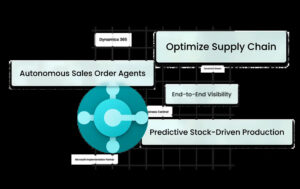
Microsoft Dynamics 365 Business Central provides an integrated ERP platform that brings financial and operational processes together.
For growing businesses, this can create better visibility into financial performance, inventory, purchasing, sales, and other critical areas.
Why Business Visibility Matters
Business decisions depend on accurate information.
Managers need to know whether revenue is increasing, which products are profitable, how much inventory is available, what customers owe, how much the company is spending, and where operational problems are developing.
When information is scattered across different systems, answering these questions can take significant time.
Employees may need to export spreadsheets, reconcile reports, check multiple applications, and manually combine information.
An integrated ERP system can simplify this process by connecting business data in one environment.
Improving Financial Reporting With Business Central
Financial reporting is one of the most important areas of ERP management.
Business Central provides tools for managing accounting and financial operations while connecting financial information with other business activities.
Organizations can manage areas such as:
-
General ledger
-
Accounts payable
-
Accounts receivable
-
Cash flow
-
Budgets
-
Fixed assets
-
Financial dimensions
-
Financial reporting
When sales, purchasing, inventory, and accounting processes are connected, financial teams can work with a more complete view of business activity.
This can reduce the need to collect financial information manually from multiple departments.
Faster Access to Financial Information
Traditional reporting processes can involve significant manual effort.
For example, a finance team may need to collect sales figures, purchasing information, inventory data, and expense records before producing a management report.
With Business Central, these processes can be connected within the ERP environment.
This means employees can spend less time compiling information and more time analyzing it.
The result is not simply faster reporting. It can also help management identify financial trends and operational issues earlier.
Connecting Financial and Operational Data
Financial performance does not exist separately from daily operations.
Inventory levels affect cash flow. Purchasing affects costs. Sales affect revenue. Projects affect profitability.
Business Central connects many of these processes.
For example, a purchase order can eventually affect inventory and accounts payable. A sales transaction can affect revenue, inventory, and receivables.
Connecting these activities gives businesses a more comprehensive picture of how operational decisions affect financial performance.
Improving Inventory Visibility
Inventory management can become challenging as organizations grow.
Businesses need to know:
-
What inventory is available
-
Where products are located
-
Which items are selling
-
What needs to be reordered
-
What inventory is committed
-
How purchasing affects stock levels
Business Central provides inventory and supply chain management capabilities that can help organizations track products and manage purchasing and fulfillment processes.
Improved visibility can help businesses reduce unnecessary inventory while maintaining sufficient stock to meet customer demand.
Better Purchasing Management
Purchasing decisions directly affect profitability and cash flow.
Without accurate information, organizations may purchase too much inventory, miss opportunities to negotiate with suppliers, or fail to identify purchasing trends.
Business Central connects purchasing activities with inventory and financial information.
This gives purchasing teams better context when making decisions.
Businesses can also use workflows and automation to streamline approvals and other repetitive purchasing processes.
Connecting Sales With Inventory
Sales teams need accurate information about product availability.
If sales representatives cannot see current inventory information, they may promise products that are unavailable or spend time contacting warehouse teams for updates.
An integrated ERP system can give sales and operational teams access to connected information.
This can improve coordination between departments and create a smoother order management process.
Using Power BI for Deeper Business Insights
Businesses often need more than standard ERP reports.
Microsoft Power BI can be used alongside Business Central to create interactive dashboards and data visualizations.
Organizations can use analytics to examine areas such as:
-
Revenue trends
-
Sales performance
-
Inventory movement
-
Customer activity
-
Profitability
-
Purchasing
-
Expenses
Visual dashboards can make complex business information easier for management teams to understand.
Instead of reviewing large spreadsheets, decision-makers can focus on trends and performance indicators.
Automation Can Improve Reporting and Operations
Automation is another important part of modern ERP management.
Business Central can work with Microsoft Power Automate to create automated workflows.
Organizations can automate selected activities such as notifications, approvals, data movement, and repetitive administrative processes.
Microsoft is also expanding AI and Copilot capabilities within Business Central, creating additional opportunities to automate tasks and help users interact with business information more efficiently.
Business Visibility Across Departments
One of the greatest advantages of an integrated ERP system is that different departments can work from connected information.
Finance can see financial transactions.
Sales can access customer and order information.
Operations can monitor inventory.
Purchasing can track supplier activity.
Management can analyze overall business performance.
This reduces information silos and creates a more connected working environment.
Who Can Benefit From Improved ERP Visibility?
Business Central can be especially useful for organizations experiencing:
-
Rapid business growth
-
Increasing transaction volumes
-
Multiple spreadsheets
-
Disconnected accounting systems
-
Inventory management problems
-
Slow financial reporting
-
Limited management visibility
-
Manual approval processes
-
Multiple business locations
-
Legacy ERP limitations
The specific benefits will depend on how the platform is configured and integrated with existing business processes.
Why Implementation Matters
Simply purchasing an ERP platform does not automatically improve business visibility.
The system must be configured around the organization’s processes, data, reporting requirements, users, and integrations.
A Business Central implementation partner can help businesses determine which processes should be automated, how data should be structured, what reports are required, and which integrations are necessary.
Dynamics Stream provides Microsoft Dynamics 365 Business Central services to help organizations implement and optimize an integrated ERP environment.
Conclusion
Microsoft Dynamics 365 Business Central can help growing businesses connect financial and operational information through one ERP platform.
By improving financial reporting, inventory visibility, purchasing management, sales coordination, analytics, and automation, organizations can reduce information silos and make business data more useful.
For companies that are struggling with spreadsheets, disconnected applications, or outdated ERP systems, Business Central can provide a modern foundation for improving visibility and supporting long-term growth.