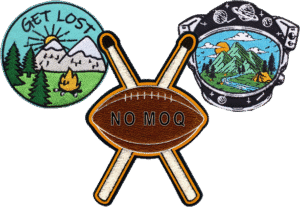

Badges have long been used to celebrate achievements, represent organizations, and add a personal touch to uniforms, backpacks, and event merchandise. Whether you’re a scout leader preparing awards for a weekend camp, a teacher recognizing classroom milestones, or a small business owner building a brand identity, having access to a well-designed Free Printable badge template can save time, money, and creative energy.
This guide walks through what these templates are, where to find reliable ones, and how to use them effectively — along with tips for taking your design from a simple printout to a professional, wearable patch.
What Is a Free Printable Badge Template?
A printable badge template is a pre-designed layout — usually available in PDF, PNG, or editable graphic formats like Canva or Photoshop files — that lets you insert your own text, logo, or artwork without starting from scratch. These templates typically come in classic shapes such as circles, shields, stars, and hexagons, and are formatted to standard sizes so they print cleanly on regular paper, cardstock, or sticker sheets.
Because they’re free, these templates are a popular starting point for:
- School and classroom reward badges
- Scouting and youth organization achievement badges
- Event or conference attendee badges
- DIY craft projects and party favors
- Early mockups before ordering a professional embroidered or woven patch
Where to Find Quality Free Templates
Not all free templates are created equal. Some of the best sources include:
Design platforms like Canva and Adobe Express offer drag-and-drop badge templates with customizable colors, fonts, and icons — ideal for beginners who want a polished look without design software experience.
Graphic marketplaces such as Freepik and Vecteezy host vector-based badge templates that can be edited in Illustrator or similar programs, giving more control over shapes and details.
Printable resource sites often provide themed collections — sports badges, holiday badges, or classroom reward badges — as ready-to-print PDFs.
When downloading any template, check the license terms. “Free” doesn’t always mean free for commercial use, so confirm whether attribution is required or if the design is restricted to personal projects.
How to Customize a Badge Template
Once you’ve chosen a template, personalizing it is usually straightforward:
- Open the file in the recommended editor (Canva, Photoshop, or a PDF editor, depending on the format).
- Replace placeholder text with your organization’s name, achievement title, or event details.
- Swap in your logo or icon — most templates have a dedicated space for artwork.
- Adjust colors to match your brand or team palette.
- Export at high resolution (300 DPI or higher) to ensure crisp printing, especially if the badge will be laminated or cut out.
For badges meant to be worn or attached to fabric, consider printing on adhesive-backed paper or heavyweight cardstock so they hold up to handling.
When a Printed Badge Isn’t Enough
Printable templates are perfect for quick, low-cost projects, but they have limitations — paper badges fade, tear, and don’t hold up to washing or extended wear. For teams, businesses, or organizations that need something more durable and professional, the natural next step is turning that same design into an embroidered, woven, or PVC patch.
This is where working with an experienced patch maker makes a real difference: a good manufacturer can take your printable badge design, digitize it, and produce a long-lasting patch in the material, size, and backing option (iron-on, Velcro, sew-on) that fits your needs — all while preserving the design you already created for free.
Tips for a Smooth Transition from Template to Patch
- Keep designs simple. Intricate details that look fine printed on paper can be hard to reproduce in stitching. Bold shapes and limited color palettes translate best.
- Use vector files when possible. A high-resolution or vector version of your badge design will produce a cleaner final patch than a low-resolution screenshot.
- Request a digital proof. Reputable manufacturers will send a mockup before production so you can confirm colors, sizing, and placement match your original template.
- Order a sample first if you’re producing badges in bulk for a team or event, to check quality before committing to a large run.
Final Thoughts
A free printable badge template is an excellent starting point for anyone looking to design recognition badges, event passes, or fun DIY projects without upfront cost. They’re quick to customize, easy to print at home, and flexible enough for almost any occasion. But if your project calls for something more durable — a badge that can survive daily wear on a jacket, backpack, or uniform — converting your design into a real embroidered or woven patch is the natural next step, and partnering with the right manufacturer ensures your original idea translates into a quality, long-lasting product.