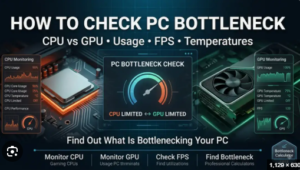

Choosing computer hardware can be confusing, especially when you are trying to build a gaming PC or upgrade an existing system. A powerful processor does not always guarantee excellent gaming performance, and a high-end graphics card may not deliver its full potential if another component cannot keep up. This is why a bottleneck calc can be useful.
A bottleneck calc helps estimate whether one component of a PC may limit the performance of another. It is particularly useful when comparing a CPU and GPU before buying new hardware. By checking the balance between components, users can make better purchasing decisions and avoid spending money on hardware that may not provide the expected improvement.
What Is a Bottleneck?
A bottleneck is a performance limitation caused by one component being unable to keep up with the rest of the system. The idea can be compared to traffic on a road. If a wide road suddenly becomes narrow, the narrow section controls how quickly traffic can move.
The same principle applies to computer hardware. A powerful GPU may be capable of rendering many frames, but if the CPU cannot process game information quickly enough, the GPU may not reach its full potential.
Likewise, a powerful CPU paired with a weaker graphics card may result in the GPU becoming the main limitation.
What Is a Bottleneck Calc?
A bottleneck calc is a tool that evaluates the relationship between different computer components. Its main purpose is to identify potential performance imbalances.
Most bottleneck calculators focus on the CPU and GPU. Depending on the tool, users may also enter information such as RAM, resolution, refresh rate, or intended usage.
After receiving the hardware information, the calculator provides an estimated result. It may show a percentage or categorize the potential bottleneck as low, moderate, or high.
The result is designed to provide guidance rather than an exact measurement of real-world performance.
CPU Bottlenecks
A CPU bottleneck occurs when the processor becomes the limiting factor.
The CPU handles many tasks during gaming and general computing, including game logic, calculations, artificial intelligence, physics, and communication between software and hardware.
A powerful GPU paired with an older CPU can sometimes result in the graphics card being underutilized. The CPU may not be able to prepare data quickly enough for the GPU.
CPU bottlenecks can be especially noticeable in processor-intensive games and applications.
GPU Bottlenecks
A GPU bottleneck occurs when the graphics card becomes the primary performance limitation.
This is common when running demanding games at high resolutions or using advanced graphics settings. The GPU may operate close to its maximum capacity while the processor has additional performance available.
A GPU bottleneck is not necessarily negative. For many gaming systems, having the GPU fully utilized is expected. If the graphics card provides the desired frame rate and image quality, there may be no reason to upgrade it simply because it is the limiting component.
The Importance of Resolution
Resolution can significantly affect the balance between a CPU and GPU.
At 1080p, the graphics card has fewer pixels to render. With a powerful GPU, the CPU may become a more important limitation.
At 1440p, the graphics workload increases, shifting more demand toward the GPU.
At 4K, the graphics card has a much larger rendering workload. This can make GPU performance more important and reduce the impact of certain CPU limitations.
Because of this, a bottleneck calc result should always be considered together with the resolution you plan to use.
Why Use a Bottleneck Calc?
A bottleneck calc can be helpful before making hardware decisions.
For PC Building
When creating a new gaming computer, users can compare different CPU and GPU combinations to find a configuration that is reasonably balanced.
For Upgrades
If you already own a computer and want to purchase a new graphics card, a bottleneck calc can help estimate whether your existing processor may limit the upgrade.
For Budget Planning
It can help users avoid spending too much money on one component while another part of the system remains a significant limitation.
For Troubleshooting
If a computer is not performing as expected, checking the hardware combination can provide an initial idea of which component may deserve further investigation.
How Accurate Is a Bottleneck Calc?
A bottleneck calc provides an estimate, not a guaranteed performance measurement.
Actual PC performance depends on many factors. Different games and applications place different demands on the CPU and GPU. Software optimization, drivers, RAM, cooling, background processes, and graphics settings can also affect results.
For example, a CPU and GPU combination may perform very well in one game but become CPU-limited in another.
Therefore, users should not rely on a single bottleneck percentage when making expensive hardware decisions.
Understanding Bottleneck Percentages
Some calculators use percentages to describe the estimated difference between components.
It is important to understand that a percentage does not necessarily represent the exact amount of performance you will lose.
For example, if a calculator reports a particular bottleneck percentage, it does not mean every game will run that exact percentage slower.
The result is better interpreted as an indicator of potential imbalance. Real-world benchmarks and actual usage are more valuable for determining how serious the limitation is.
Can a Bottleneck Be a Good Thing?
A bottleneck is not always something that needs to be eliminated.
Every computer has a limiting factor depending on the workload. When playing a graphically demanding game, the GPU may be the limitation. When running a processor-intensive application, the CPU may become the limiting factor.
The important thing is whether the limiting component prevents you from achieving your desired performance.
If your computer delivers the frame rate, responsiveness, and application performance you need, there may be no reason to change anything.
Tips for a Balanced PC
When building or upgrading a computer, consider the entire system rather than focusing on one component.
Choose a CPU and GPU that match your intended workload. Make sure you have enough RAM and adequate cooling. Consider your monitor’s resolution and refresh rate before deciding how much to spend on graphics performance.
It is also important to consider your budget. A balanced system often provides a better experience than spending most of the budget on one extremely powerful component.
Final Thoughts
A Bottleneck Calc is a convenient tool for estimating whether different PC components are appropriately matched. It can be particularly useful for comparing CPUs and GPUs, planning upgrades, and creating balanced gaming computers.
However, its results should be treated as estimates. Real-world performance depends on the application, resolution, graphics settings, drivers, cooling, memory, and many other factors.
Use a bottleneck calc as a starting point rather than the final authority. Combine its results with your actual performance goals, hardware requirements, and budget. This approach can help you choose components more intelligently and build a PC that delivers reliable performance for the tasks you care about.
Bottleneck Calc: A Simple Guide to Checking PC Hardware Balance
Choosing computer hardware can be confusing, especially when you are trying to build a gaming PC or upgrade an existing system. A powerful processor does not always guarantee excellent gaming performance, and a high-end graphics card may not deliver its full potential if another component cannot keep up. This is why a bottleneck calc can be useful.
A bottleneck calc helps estimate whether one component of a PC may limit the performance of another. It is particularly useful when comparing a CPU and GPU before buying new hardware. By checking the balance between components, users can make better purchasing decisions and avoid spending money on hardware that may not provide the expected improvement.
What Is a Bottleneck?
A bottleneck is a performance limitation caused by one component being unable to keep up with the rest of the system. The idea can be compared to traffic on a road. If a wide road suddenly becomes narrow, the narrow section controls how quickly traffic can move.
The same principle applies to computer hardware. A powerful GPU may be capable of rendering many frames, but if the CPU cannot process game information quickly enough, the GPU may not reach its full potential.
Likewise, a powerful CPU paired with a weaker graphics card may result in the GPU becoming the main limitation.
What Is a Bottleneck Calc?
A bottleneck calc is a tool that evaluates the relationship between different computer components. Its main purpose is to identify potential performance imbalances.
Most bottleneck calculators focus on the CPU and GPU. Depending on the tool, users may also enter information such as RAM, resolution, refresh rate, or intended usage.
After receiving the hardware information, the calculator provides an estimated result. It may show a percentage or categorize the potential bottleneck as low, moderate, or high.
The result is designed to provide guidance rather than an exact measurement of real-world performance.
CPU Bottlenecks
A CPU bottleneck occurs when the processor becomes the limiting factor.
The CPU handles many tasks during gaming and general computing, including game logic, calculations, artificial intelligence, physics, and communication between software and hardware.
A powerful GPU paired with an older CPU can sometimes result in the graphics card being underutilized. The CPU may not be able to prepare data quickly enough for the GPU.
CPU bottlenecks can be especially noticeable in processor-intensive games and applications.
GPU Bottlenecks
A GPU bottleneck occurs when the graphics card becomes the primary performance limitation.
This is common when running demanding games at high resolutions or using advanced graphics settings. The GPU may operate close to its maximum capacity while the processor has additional performance available.
A GPU bottleneck is not necessarily negative. For many gaming systems, having the GPU fully utilized is expected. If the graphics card provides the desired frame rate and image quality, there may be no reason to upgrade it simply because it is the limiting component.
The Importance of Resolution
Resolution can significantly affect the balance between a CPU and GPU.
At 1080p, the graphics card has fewer pixels to render. With a powerful GPU, the CPU may become a more important limitation.
At 1440p, the graphics workload increases, shifting more demand toward the GPU.
At 4K, the graphics card has a much larger rendering workload. This can make GPU performance more important and reduce the impact of certain CPU limitations.
Because of this, a bottleneck calc result should always be considered together with the resolution you plan to use.
Why Use a Bottleneck Calc?
A bottleneck calc can be helpful before making hardware decisions.
For PC Building
When creating a new gaming computer, users can compare different CPU and GPU combinations to find a configuration that is reasonably balanced.
For Upgrades
If you already own a computer and want to purchase a new graphics card, a bottleneck calc can help estimate whether your existing processor may limit the upgrade.
For Budget Planning
It can help users avoid spending too much money on one component while another part of the system remains a significant limitation.
For Troubleshooting
If a computer is not performing as expected, checking the hardware combination can provide an initial idea of which component may deserve further investigation.
How Accurate Is a Bottleneck Calc?
A bottleneck calc provides an estimate, not a guaranteed performance measurement.
Actual PC performance depends on many factors. Different games and applications place different demands on the CPU and GPU. Software optimization, drivers, RAM, cooling, background processes, and graphics settings can also affect results.
For example, a CPU and GPU combination may perform very well in one game but become CPU-limited in another.
Therefore, users should not rely on a single bottleneck percentage when making expensive hardware decisions.
Understanding Bottleneck Percentages
Some calculators use percentages to describe the estimated difference between components.
It is important to understand that a percentage does not necessarily represent the exact amount of performance you will lose.
For example, if a calculator reports a particular bottleneck percentage, it does not mean every game will run that exact percentage slower.
The result is better interpreted as an indicator of potential imbalance. Real-world benchmarks and actual usage are more valuable for determining how serious the limitation is.
Can a Bottleneck Be a Good Thing?
A bottleneck is not always something that needs to be eliminated.
Every computer has a limiting factor depending on the workload. When playing a graphically demanding game, the GPU may be the limitation. When running a processor-intensive application, the CPU may become the limiting factor.
The important thing is whether the limiting component prevents you from achieving your desired performance.
If your computer delivers the frame rate, responsiveness, and application performance you need, there may be no reason to change anything.
Tips for a Balanced PC
When building or upgrading a computer, consider the entire system rather than focusing on one component.
Choose a CPU and GPU that match your intended workload. Make sure you have enough RAM and adequate cooling. Consider your monitor’s resolution and refresh rate before deciding how much to spend on graphics performance.
It is also important to consider your budget. A balanced system often provides a better experience than spending most of the budget on one extremely powerful component.
Final Thoughts
A Bottleneck Calc is a convenient tool for estimating whether different PC components are appropriately matched. It can be particularly useful for comparing CPUs and GPUs, planning upgrades, and creating balanced gaming computers.
However, its results should be treated as estimates. Real-world performance depends on the application, resolution, graphics settings, drivers, cooling, memory, and many other factors.
Use a bottleneck calc as a starting point rather than the final authority. Combine its results with your actual performance goals, hardware requirements, and budget. This approach can help you choose components more intelligently and build a PC that delivers reliable performance for the tasks you care about.