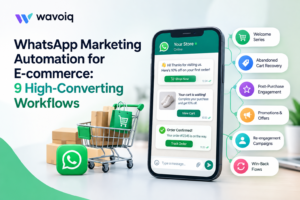

For e-commerce businesses, getting customers to visit a website is only the first step. The bigger challenge is turning visits into purchases and keeping customers engaged after the sale.
Customers often ask about products, delivery dates, discounts, returns, and order status before making a decision. If these questions are not answered quickly, they may leave and buy from another store.
This is where WhatsApp Marketing Automation can help.
WhatsApp gives e-commerce brands a direct way to communicate with customers. With the right automated workflows, businesses can send timely messages, recover abandoned carts, share order updates, recommend products, and encourage repeat purchases without requiring a team member to handle every conversation manually.
Here are nine practical WhatsApp workflows that e-commerce businesses can use to improve conversions and customer engagement.
What Is WhatsApp Marketing Automation?
WhatsApp Marketing Automation is the process of using automated messages and workflows to communicate with customers on WhatsApp based on specific actions, events, or customer information.
For example, when someone adds a product to their cart but does not complete the purchase, an automated WhatsApp message can remind them about the product.
Similarly, after an order is placed, the customer can automatically receive order confirmation and delivery updates.
Instead of sending the same message to everyone, automation allows businesses to send relevant messages at the right stage of the customer journey.
1. Welcome Message for New Customers
The first interaction with a customer can set the tone for the entire relationship.
When a customer subscribes to updates, creates an account, or starts a conversation with your business, you can send an automated welcome message.
The message can include:
- A short introduction to the brand
- Popular product categories
- A first-order discount
- Links to important pages
- Customer support information
For example:
“Welcome to [Brand Name]. We’re glad to have you here. Explore our latest collection and enjoy 10% off your first order.”
A simple welcome message can encourage new customers to explore your products and make their first purchase.
2. Abandoned Cart Recovery
Abandoned carts are a common problem for e-commerce businesses. A customer may add products to their cart but leave without completing the purchase.
WhatsApp automation can be used to send a reminder after a suitable period.
For example:
“You left something behind. Your selected items are still in your cart. Complete your order here.”
Businesses can also test different messages based on customer behavior. For high-value carts, a follow-up may include additional assistance, such as asking whether the customer has questions about the product or payment process.
The goal is not to send repeated reminders. One or two useful messages at the right time are usually better than frequent promotions.
3. Order Confirmation and Updates
Customers want to know what is happening after they place an order.
Instead of making customers repeatedly check their email or website, businesses can send automated WhatsApp updates.
A typical workflow can include:
- Order confirmation
- Payment confirmation
- Order packed
- Order shipped
- Out for delivery
- Delivered
For example:
“Your order #4582 has been shipped. You can track your delivery using the link below.”
These updates improve the customer experience and can also reduce the number of “Where is my order?” questions received by customer support.
4. Product Recommendations
Product recommendations can help increase the value of each customer relationship.
After a customer purchases a product, businesses can recommend related items based on their purchase or browsing behavior.
For example, a customer who purchases running shoes may be interested in:
- Running socks
- Sportswear
- Insoles
- Fitness accessories
The recommendation should be relevant to the customer’s interests.
WhatsApp Marketing Automation makes it possible to create workflows that send recommendations based on customer activity rather than sending the same products to every customer.
5. Back-in-Stock Alerts
Popular products often sell out quickly. Customers may leave their contact information because they want to know when an item becomes available again.
Instead of expecting customers to check the website themselves, businesses can send an automated WhatsApp notification when the product is back in stock.
For example:
“Good news! The product you were waiting for is back in stock. Get it before it sells out again.”
This workflow can bring interested customers back to the store when their intent to purchase is already high.
6. Limited-Time Offers and Promotions
WhatsApp can also be used to promote special offers, seasonal sales, new collections, and limited-time deals.
However, promotional messages should be relevant and sent only to customers who have opted in to receive them.
Businesses can segment their audience based on factors such as:
- Previous purchases
- Product interests
- Location
- Customer type
- Purchase frequency
- Average order value
For example, a fashion store could send a new collection announcement to customers who previously purchased products from the same category.
This is more useful than sending every promotion to the entire customer list.
7. Post-Purchase Follow-Up
The customer relationship should not end when the order is delivered.
A few days after delivery, an automated WhatsApp message can ask whether the customer is satisfied with the purchase.
For example:
“We hope you’re enjoying your new product. If you need any help, our team is here to assist.”
A later message can request a review or rating.
This workflow can help businesses collect customer feedback, identify problems early, and encourage satisfied customers to leave reviews.
8. Reorder and Repeat Purchase Reminders
Some products are purchased repeatedly. Examples include skincare products, pet supplies, groceries, supplements, and household products.
If a product normally lasts for a certain period, a WhatsApp workflow can remind customers when they may need to reorder.
For example:
“It may be time to refill your regular order. Reorder your favourite product in just a few clicks.”
The timing should depend on the product and the customer’s previous purchase behavior.
A well-timed reminder can generate repeat sales without relying entirely on new customer acquisition.
9. Customer Support and Sales Follow-Ups
Not every customer completes a purchase immediately.
Some may ask questions and need additional information before making a decision.
For example:
Customer: “Does this product come in another size?”
Instead of allowing the conversation to end, automation can provide relevant information or route the customer to a sales representative.
Businesses can also create follow-up workflows for customers who show interest but do not purchase.
For example:
“Hi, you recently asked about our product. Do you have any questions we can help with?”
This gives potential customers another opportunity to continue the conversation.
Best Practices for WhatsApp Marketing Automation
Automation works best when customers receive useful messages rather than a constant stream of promotions.
Keep these practices in mind:
Get Customer Consent
Only send marketing communications to customers who have agreed to receive them. Respect opt-outs and communication preferences.
Keep Messages Relevant
Use customer activity and preferences to determine what messages should be sent.
Avoid Too Many Messages
Sending too many messages can frustrate customers and reduce engagement. Focus on timing and relevance.
Give Customers a Clear Action
If the purpose of a message is to encourage a purchase, provide a clear link or next step.
Keep Human Support Available
Automation should not make it difficult for customers to reach a person. Complex complaints, unusual requests, and sensitive issues may require human assistance.
How WhatsApp Marketing Automation Can Help E-commerce Businesses
When planned properly, automation can support several parts of the e-commerce customer journey.
It can help businesses:
- Recover abandoned carts
- Increase repeat purchases
- Improve order communication
- Promote relevant products
- Reduce repetitive support requests
- Follow up with potential customers
- Improve customer engagement
- Provide faster responses
The biggest advantage is timing. Instead of waiting for customers to return to the website, businesses can communicate with them when a specific action creates a reason to start a conversation.
Final Thoughts
E-commerce businesses have many opportunities to use WhatsApp beyond simple customer support. From abandoned cart reminders and order updates to product recommendations and repeat-purchase reminders, WhatsApp Marketing Automation can support customers throughout their buying journey.
The key is to build workflows around real customer needs. A welcome message should introduce the brand. An abandoned cart reminder should help customers complete a purchase. A post-purchase message should improve the relationship after the sale.
For businesses looking to manage these conversations at scale, Wavoiq provides WhatsApp and Telegram automation tools that can help businesses automate customer conversations, answer questions, collect customer details, qualify leads, and manage follow-ups.
With the right workflows, businesses can spend less time managing repetitive conversations and more time improving the customer experience and growing sales.