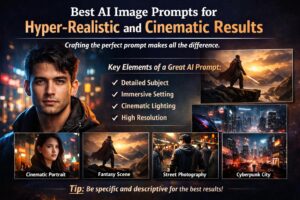

AI generated images have gained traction quickly as some of the most interesting new tools available to creatives today. You can take any idea or concept and create an incredibly detailed image (that would have taken an entire team of designers, photographers and editors using traditional means) using nothing but a few words. However, with the access, speed, and power of these AI image generation tools, there is one thing that makes the difference in whether your image will be amazing or just very basic — the way you construct your prompt.
Constructing a great prompt will produce awesome movie-style images that may seem nearly lifelike. Conversely, an undefined or poorly written prompt will produce very bland or hazy images. This is why there is such a high demand for people who know how to create effective prompts to generate AI generated images among creators, marketers, and designers.
Why AI Image Prompts Matter So Much
At its core, an AI image prompt is simply an instruction. But the way you frame that instruction directly shapes the outcome. Think of it like directing a photographer: if you only say “take a picture of a person,” the result could be anything. But if you describe the lighting, mood, background, and camera style, you suddenly gain control over the final image.
For example, compare these two prompts:
A basic version:
“a man in a city”
A more refined version:
“a hyper-realistic portrait of a young man walking through a neon-lit city at night, reflections on wet streets, cinematic lighting, shallow depth of field, ultra-detailed, shot on 85mm lens”
The second one doesn’t just describe a subject—it builds a scene.
The Key Ingredients of a Strong AI Image Prompt
If you want consistently high-quality results, your prompts should feel like they are painting a full picture. A good way to think about it is by breaking it into a few natural elements.
1. The Subject
Start with who or what the image is about. Be specific where possible. Instead of “a woman,” describe her appearance, mood, clothing, or even her action.
2. The Setting
Where is the scene happening? A crowded street, a peaceful mountain, a futuristic city, or a cozy indoor environment? The setting gives context and depth.
3. Lighting and Mood
Lighting can completely change the feel of an image. Soft morning light creates a calm mood, while neon lighting can make it feel modern and energetic. Cinematic lighting is often used for dramatic effects.
4. Camera Style and Perspective
This is where things start to feel more realistic. Terms like DSLR photography, shallow depth of field, bokeh effect, or wide-angle shot help guide the AI toward a more photographic result.
5. Detail and Quality Enhancers
These are the finishing touches that elevate the output:
ultra-realistic, high resolution, 4K or 8K, sharp focus, highly detailed textures.
Example AI Image Prompts You Can Use
To make things practical, here are a few ready-made prompts you can take inspiration from or use directly.
Cinematic Portrait
A hyper-realistic portrait of a young woman standing in the middle of a rainy city street at night. Neon signs reflect off the wet ground, soft cinematic lighting wraps around her face, shallow depth of field, 85mm lens, ultra-detailed skin texture, 8K resolution.
Fantasy Scene
An epic fantasy warrior standing on the edge of a mountain cliff during sunset. The wind moves through their armor and cloak, a glowing sword in hand, dramatic clouds in the sky, cinematic wide shot, highly detailed, ultra-realistic atmosphere.
Street Photography Style
A candid street photograph of a man walking through a busy Asian market. Natural lighting, slight motion blur, authentic expressions around him, DSLR photography style, documentary feel, highly detailed environment.
Futuristic Cyberpunk Scene
A futuristic cyberpunk city glowing with neon lights, flying vehicles in the sky, rain falling over reflective streets, cinematic wide-angle shot, ultra-realistic environment, highly detailed textures, 8K quality.
A Few Practical Tips That Actually Help
Writing better prompts often comes down to small habits rather than complex rules.
Try to be as descriptive as possible without overloading the sentence. Balance is key. Combine subject, environment, and style in a natural flow instead of listing random keywords. And don’t hesitate to experiment—sometimes small changes in wording can completely transform the result.
One common mistake is using vague terms like “beautiful” or “nice” without context. Instead of saying “a beautiful landscape,” describe what makes it beautiful: the lighting, the atmosphere, the time of day, and the composition.
Final Thoughts
Writing AI image prompts is less about following strict formulas and more about learning how to describe ideas clearly and creatively. The better you can visualize something in words, the better the AI can bring it to life.
Over time, you’ll notice your prompts becoming more natural and intuitive. And as that happens, the quality of your AI-generated images will improve dramatically—often looking closer to real photography or cinematic film stills than digital art.